HOW TO PLAN YOUR WEEK WITH OUR CALENDAR REMINDERSUpdated 2 months ago
Plan out your week of training with our calendar feature. Here you can schedule in all your workouts for the week and have reminders set to keep you on track and accountable. To do this follow the steps below.
Scheduling Workouts
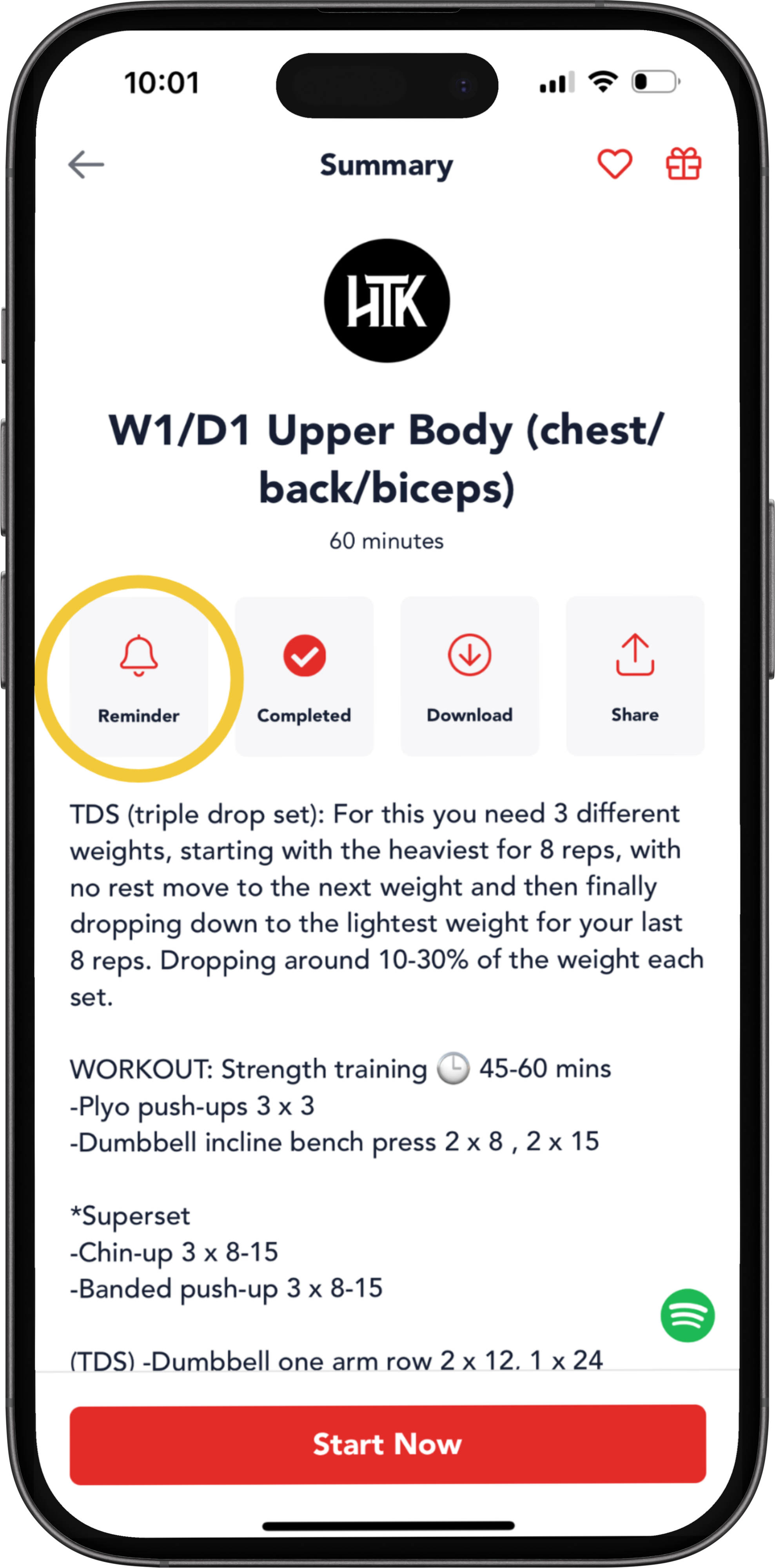
You can do this directly from your workout page. Navigate to the workout you want to add to your calendar and then tap on the reminder with the bell icon.
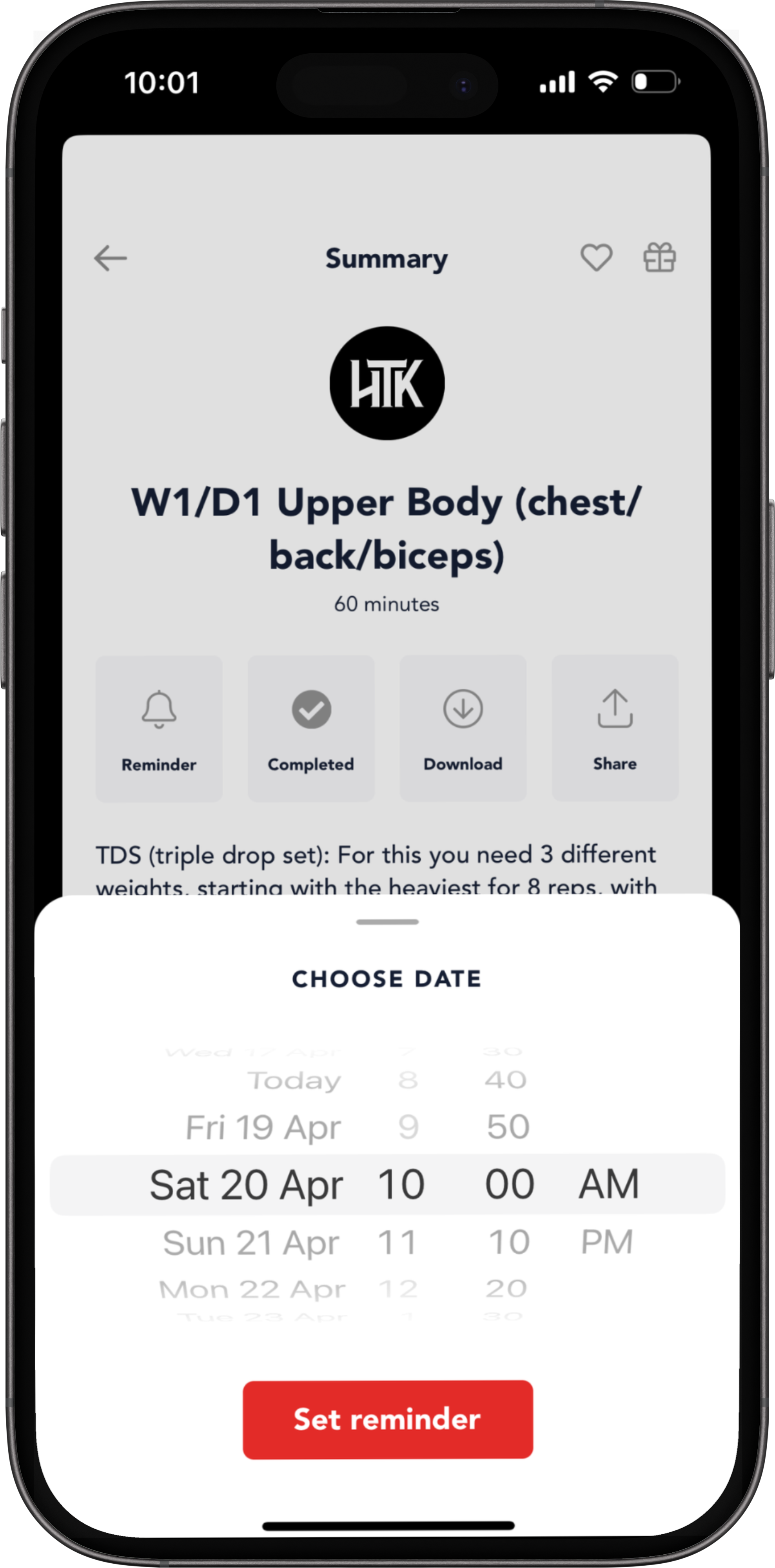
From there select the date and time you want this workout to appear in your calendar. To reschedule, you can tap on the bell icon again and select a new time & date, or go to the calendar and reschedule your workout.
Do this for all of the workouts of your week to have a full schedule.
Viewing Your Schedule
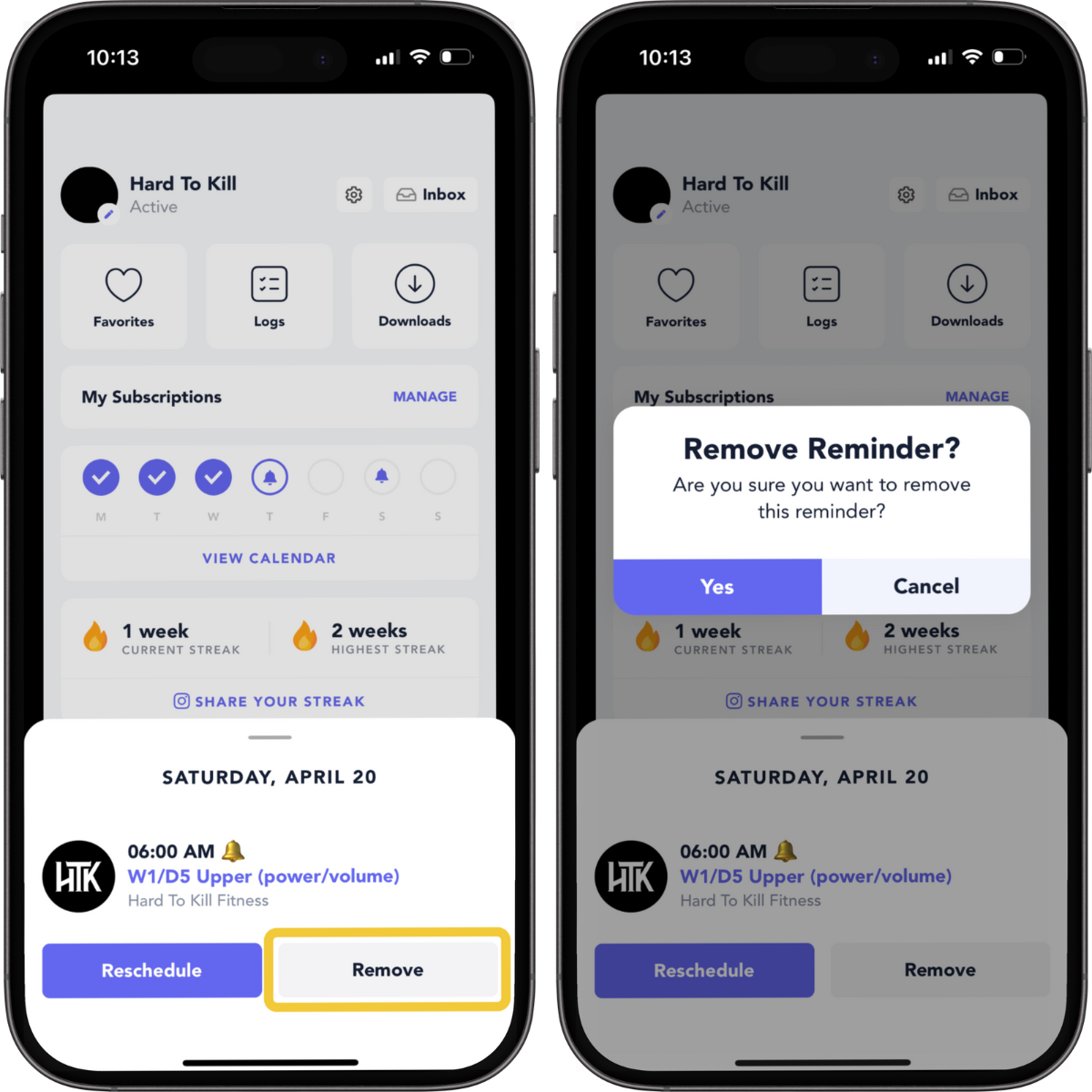
Navigate to your profile to see a quick overview of your week of workouts. From here, you can tap on the bell icon to see the workouts you have scheduled for that day. You can change it from there if you need to reschedule.
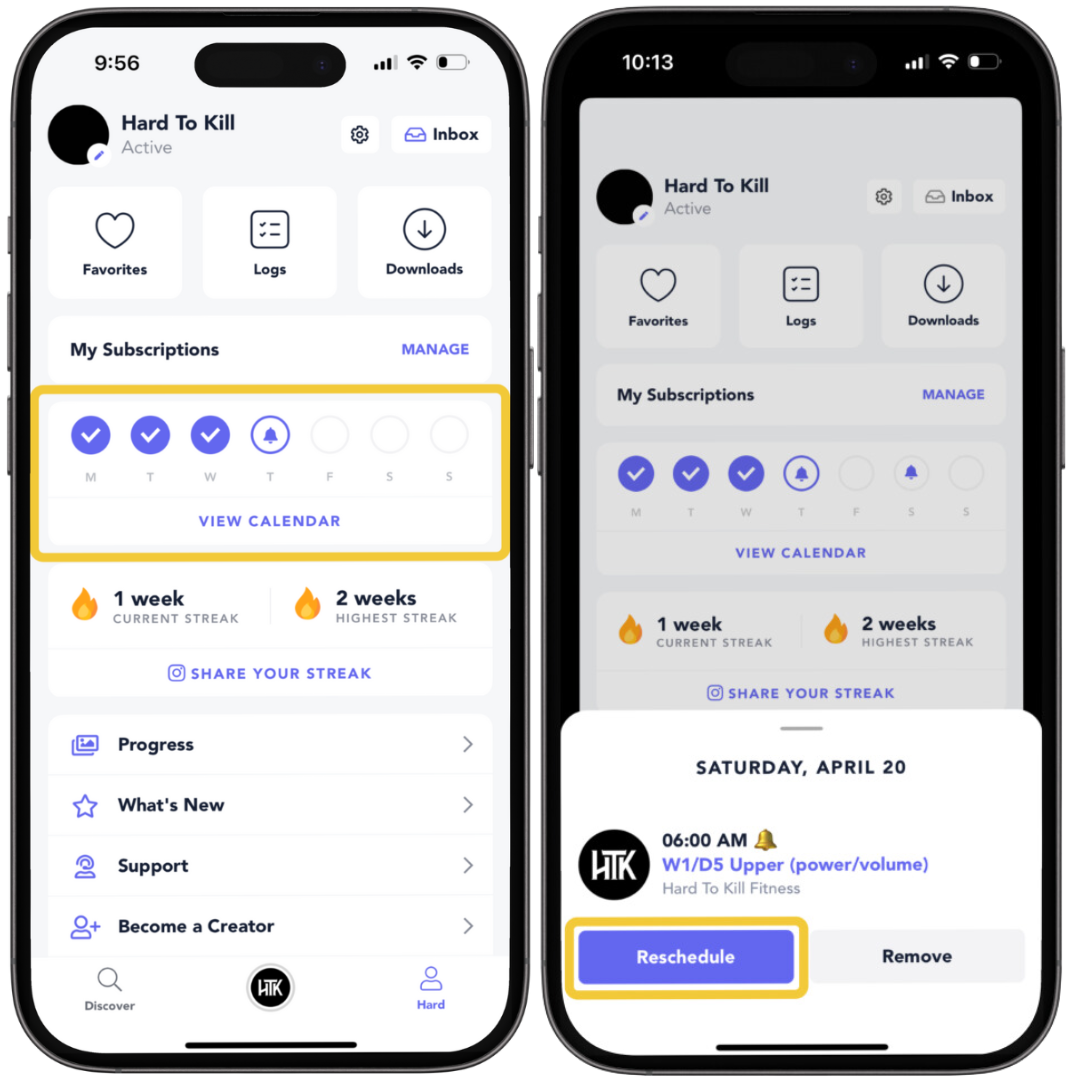
Change your mind? No problem, you can also easily remove future reminders by tapping on “Remove.”
NOTE: To view the full calendar, and all your previous and future workouts tap on 'view calendar'. Check this article for more info on this.
Workout Reminders
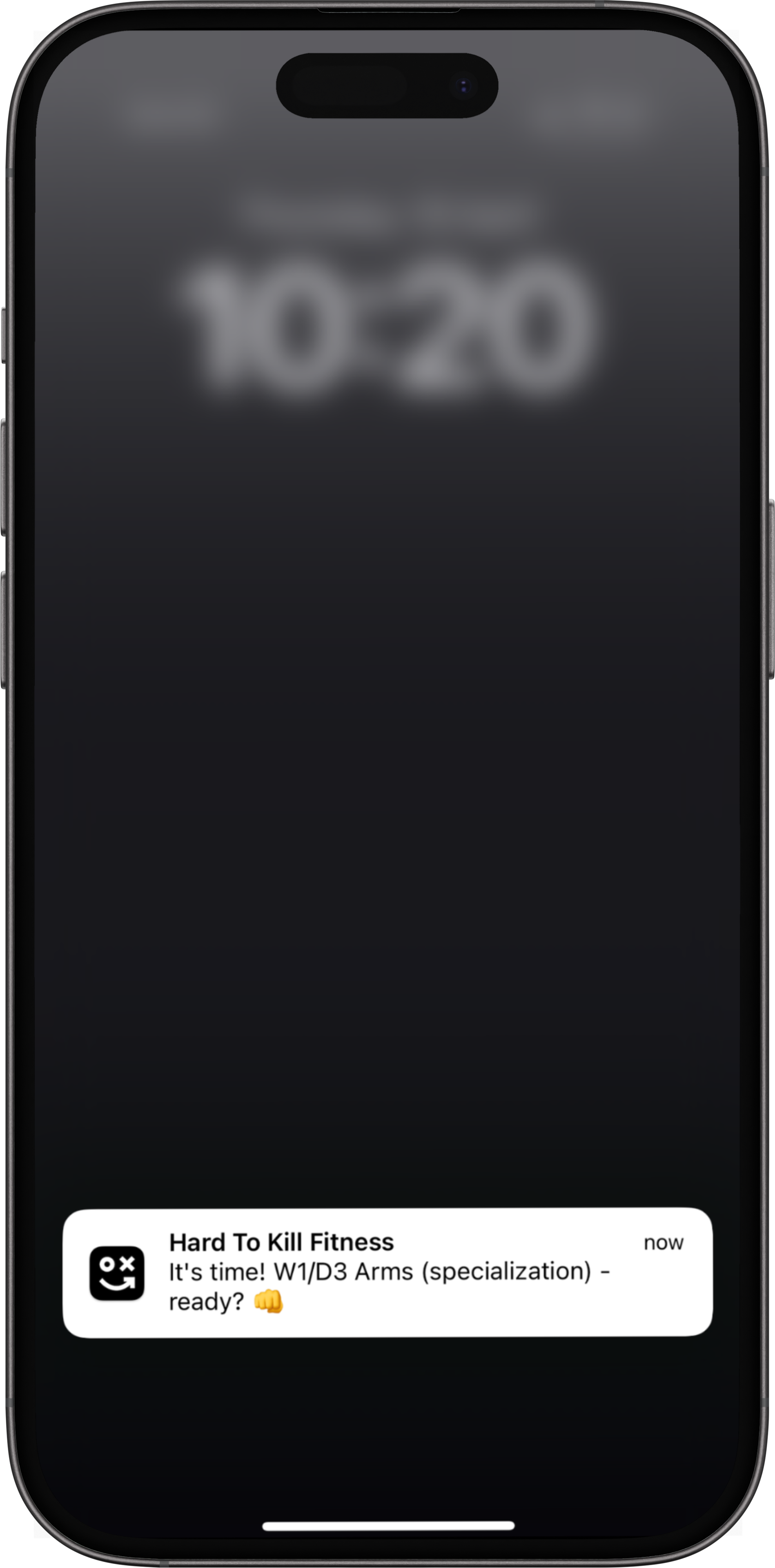
For scheduled future workouts you will get a reminder notification at the start time of your workout. All you have to do is tap on it to get started!
NOTE: Make sure that you have enabled notifications if you want this feature.