HOW TO SAVE / FAVORITE WORKOUTSUpdated 2 months ago
If you have workouts you particularly enjoyed and want to come back to, then you can add them to your favorites.
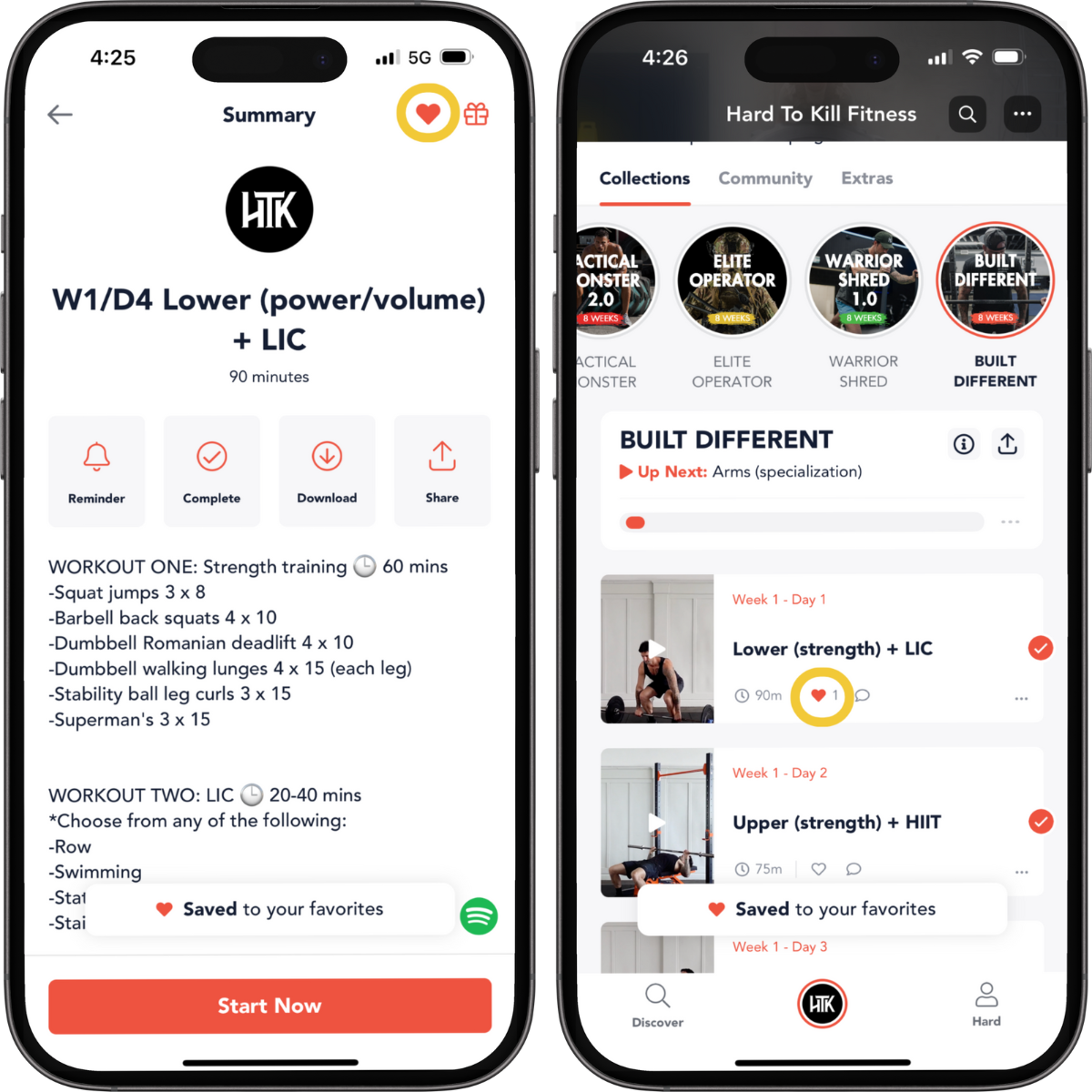
To do this, tap on the ❤️ icon next to a workout. Or add a workout to favorites from the workout summary screen by tapping on the ❤️ icon in the upper right corner.
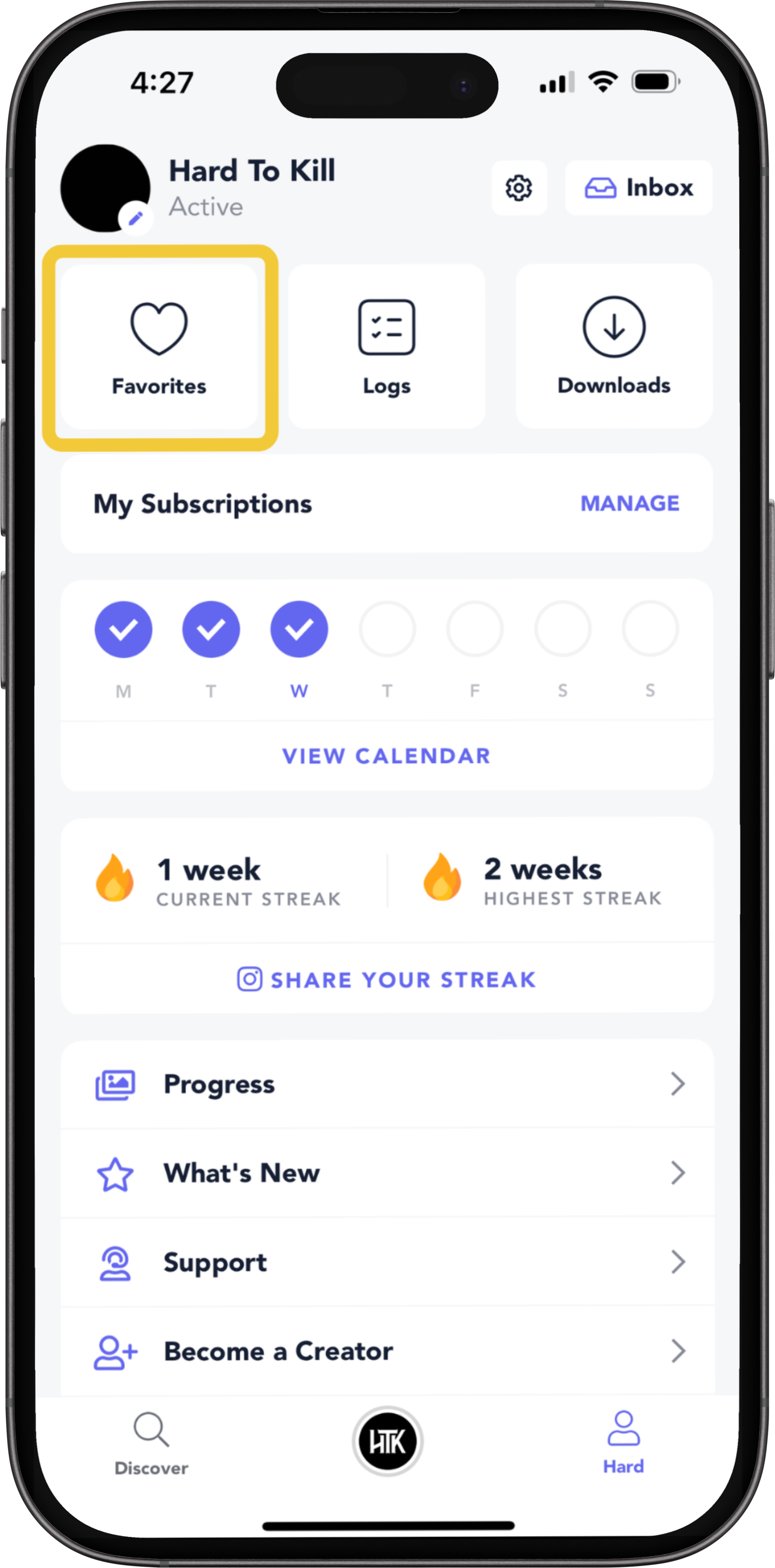
To access your favorite workouts:
Navigate to Profile And tap on Favorites.
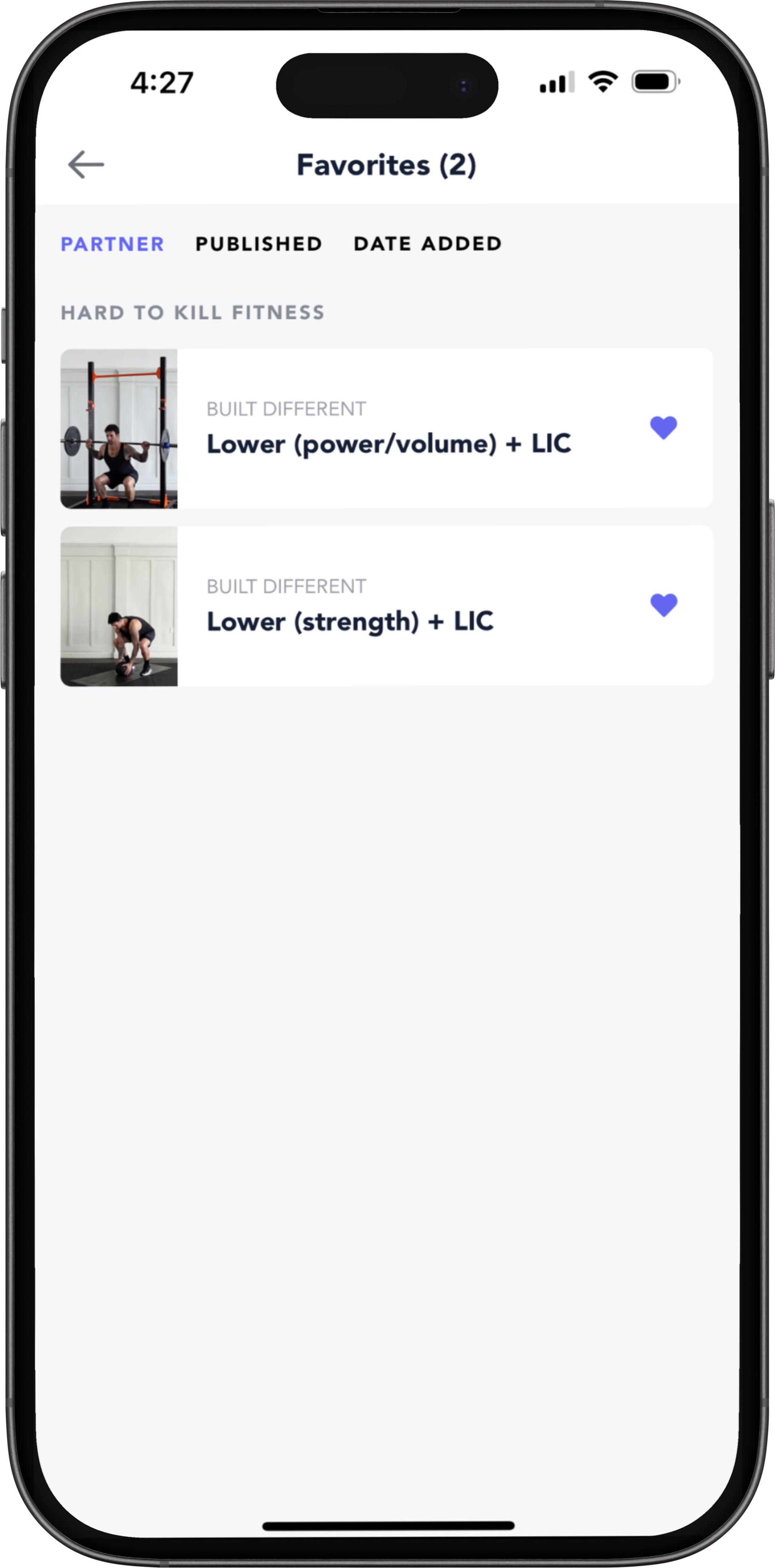
Sort Favorites
You can sort your favorites by partners, publish date, and date added.