TRACK WORKOUTS IN THE CALENDAR FEATUREUpdated 2 months ago
View all your previously completed and upcoming workouts with our calendar feature. To access this follow the steps below.
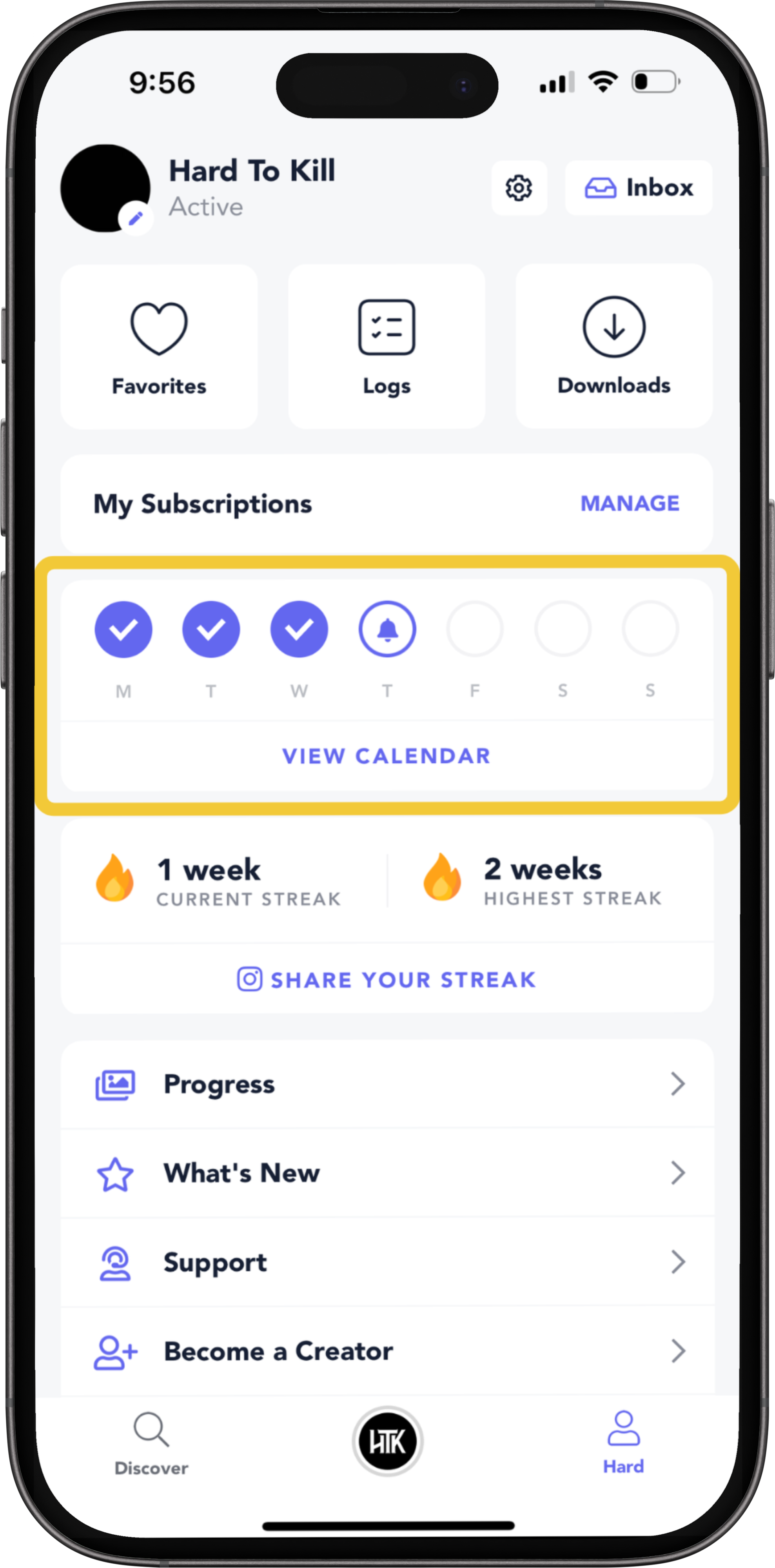
Navigate to Profile
Tap on “View Calendar”.
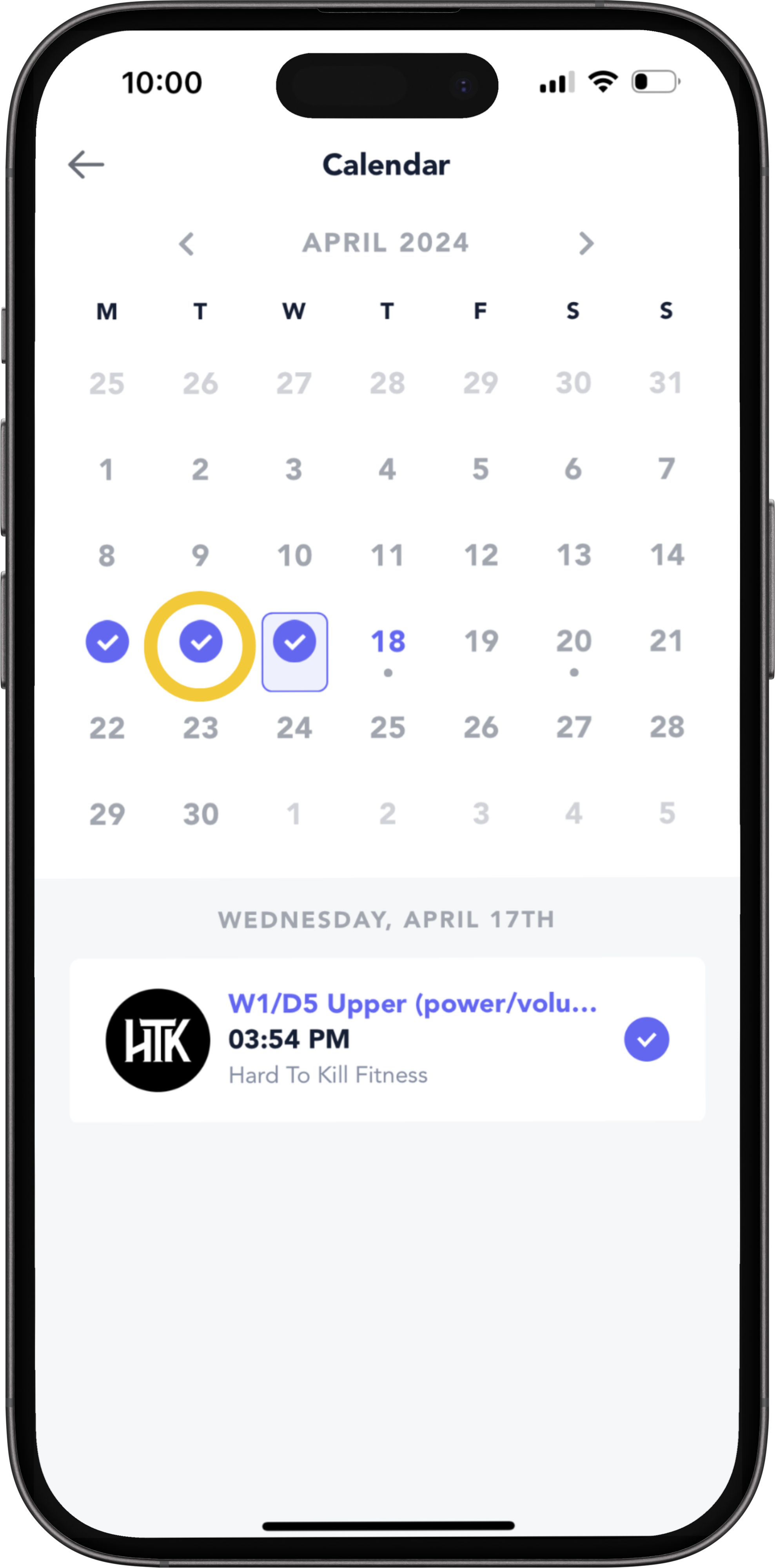
View Completed Workouts
The purple ticks indicate days you completed a workout/ workouts. Tap on them to view the workout and workout log (if there is any information saved).
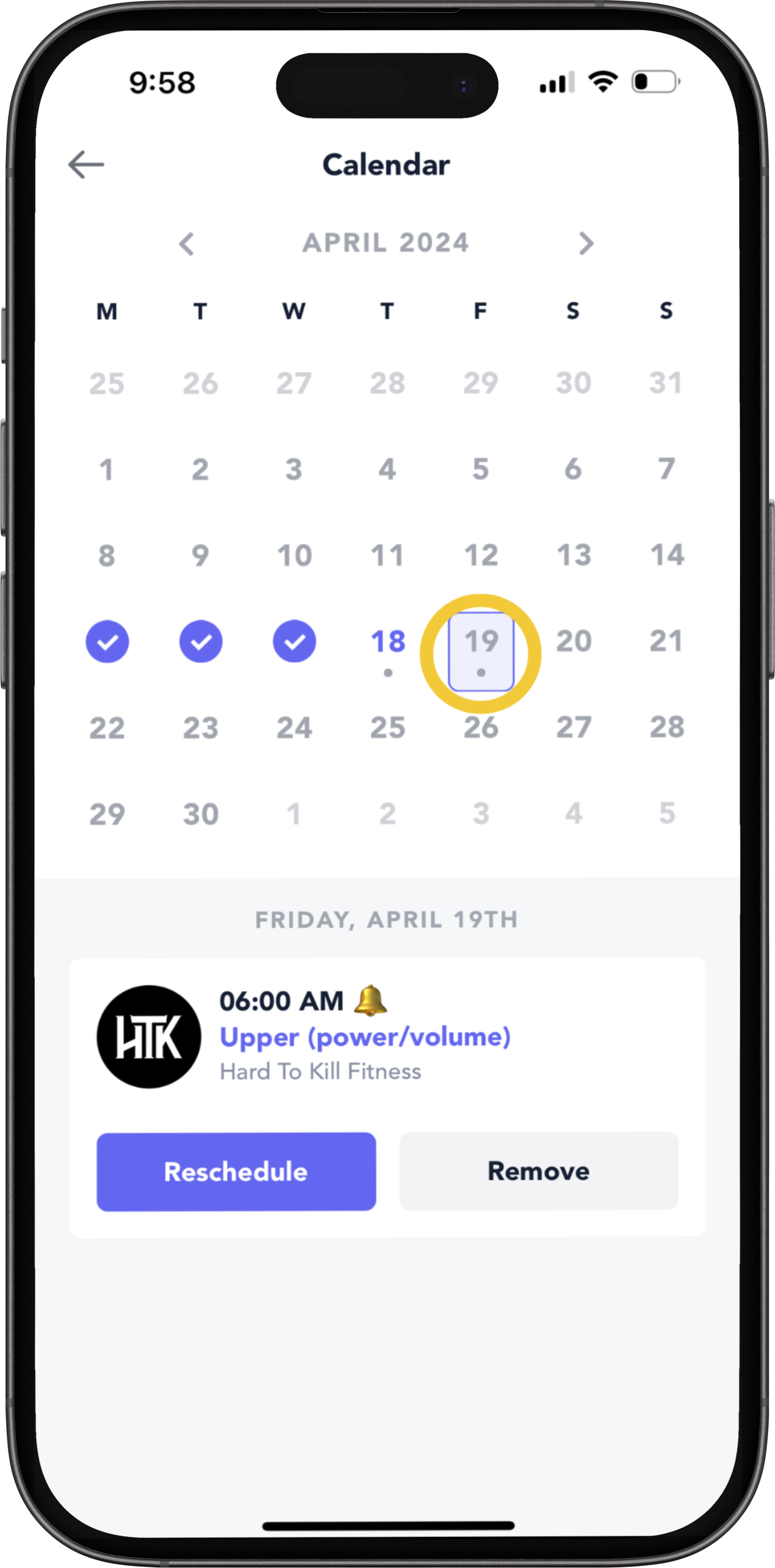
View Scheduled Workouts
Tap on future days to view your upcoming workouts and begin them
NOTE: You can reschedule your workouts by tapping on “Reschedule”.
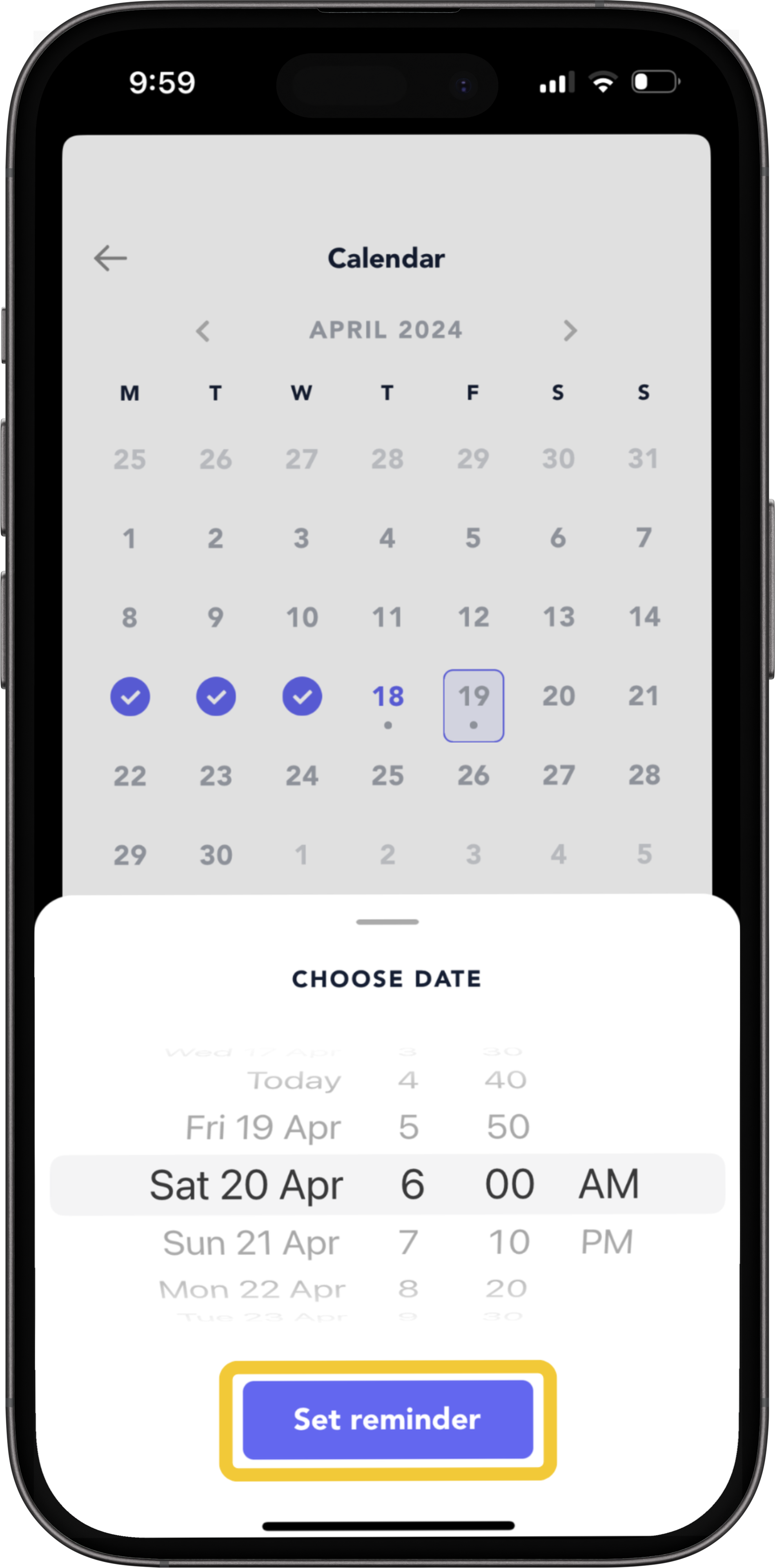
To Reschedule Your Workout...
1. Select reschedule
2. Choose the date and time you want to schedule the workout for
3. Tap on “Set Reminder”, to save it at the new time to your calendar